
Step 24 · Part 6 — Customers and money
Employees and payroll
The people on your payroll, what they are paid, and getting the wage cost into your accounts.
Applies to: Anybody with staff. Even one employee is worth recording properly.
Worth knowing: An employee is not a user. A user is a login (section 5). An employee is somebody you pay. The same person is usually both, but they are recorded separately, because a delivery driver who never touches the system still gets a wage, and an outside accountant with a login is not on your payroll.
Everything here is under HR.
#Employees
HR → Employees.
Adding somebody
Press Add an employee.
Who they are
| Field | Notes |
|---|---|
| Employee no. | Given automatically |
| Name, and Name (Arabic) | |
| National ID / Iqama | Ten digits. This is what every government form is keyed on. |
| Gender, Date of birth, Nationality | |
| Mobile, Email |
Who to call in an emergency — a name, a phone and the relationship. Worth filling in; it is the field nobody wants to be missing on the day it is needed.
The job
| Field | Notes |
|---|---|
| Job | |
| Department | |
| Branch | Where they work, or Head office |
| Contract | Full time, Part time, Fixed term, or Temporary |
| Cost centre | Left at As where it belongs says, their wage follows their branch's cost centre (section 6). Change it only when their pay belongs somewhere else — a cook at a shop, charged to the kitchen. |
| Started |
Documents and when they expire
Iqama, passport, the Contract ends date for a fixed-term contract, and a licence with its own name and expiry. These are dates worth having in one place — a driver whose licence has lapsed is a problem you want to see coming.
You can also attach files to an employee's record.
Monthly pay
The pay structure is set with Salary on the person's row under HR → Payroll, and it is split the way Saudi payroll is normally stated:
| Component | Notes |
|---|---|
| Basic | The base salary |
| Housing | Housing allowance |
| Transport | Transport allowance |
| Other allowance | Anything else recurring |
Plus the Bank and IBAN the wage is paid into, the Social insurance (%) and Employer's share (%) rates, and the date it is Effective from.
Worth knowing: The split matters because social insurance is calculated on the basic salary only, not the allowances. Enter the components as they are on the contract, not a single combined figure.
When somebody leaves
Press They left on their row. The screen is clear: Recorded as having left. Their record is kept.
They come off the working list but stay in the system — their payroll history has to remain readable, and if they come back you have their record.
The list has a toggle for Currently employed or Including people who have left, and somebody who has left is marked.
#Payroll
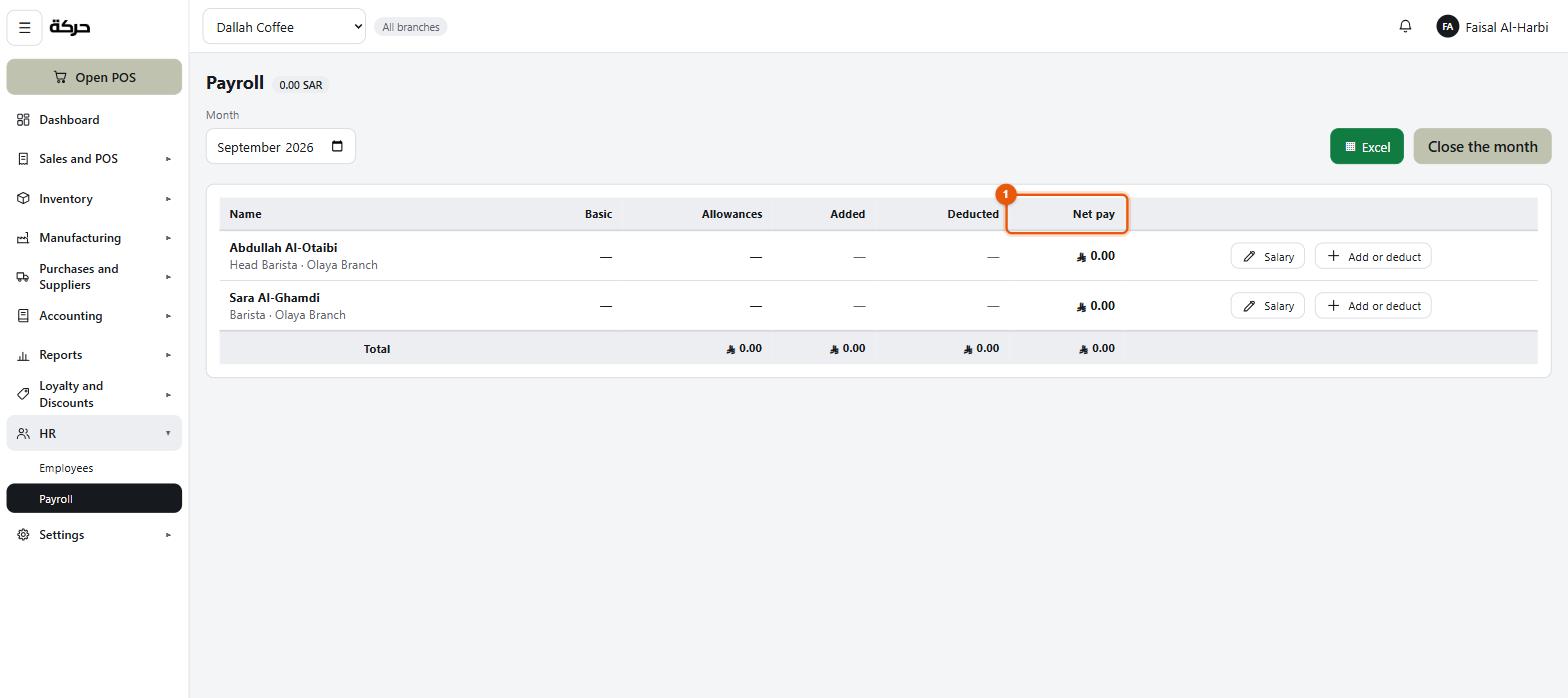
HR → Payroll runs a month.
Running a month
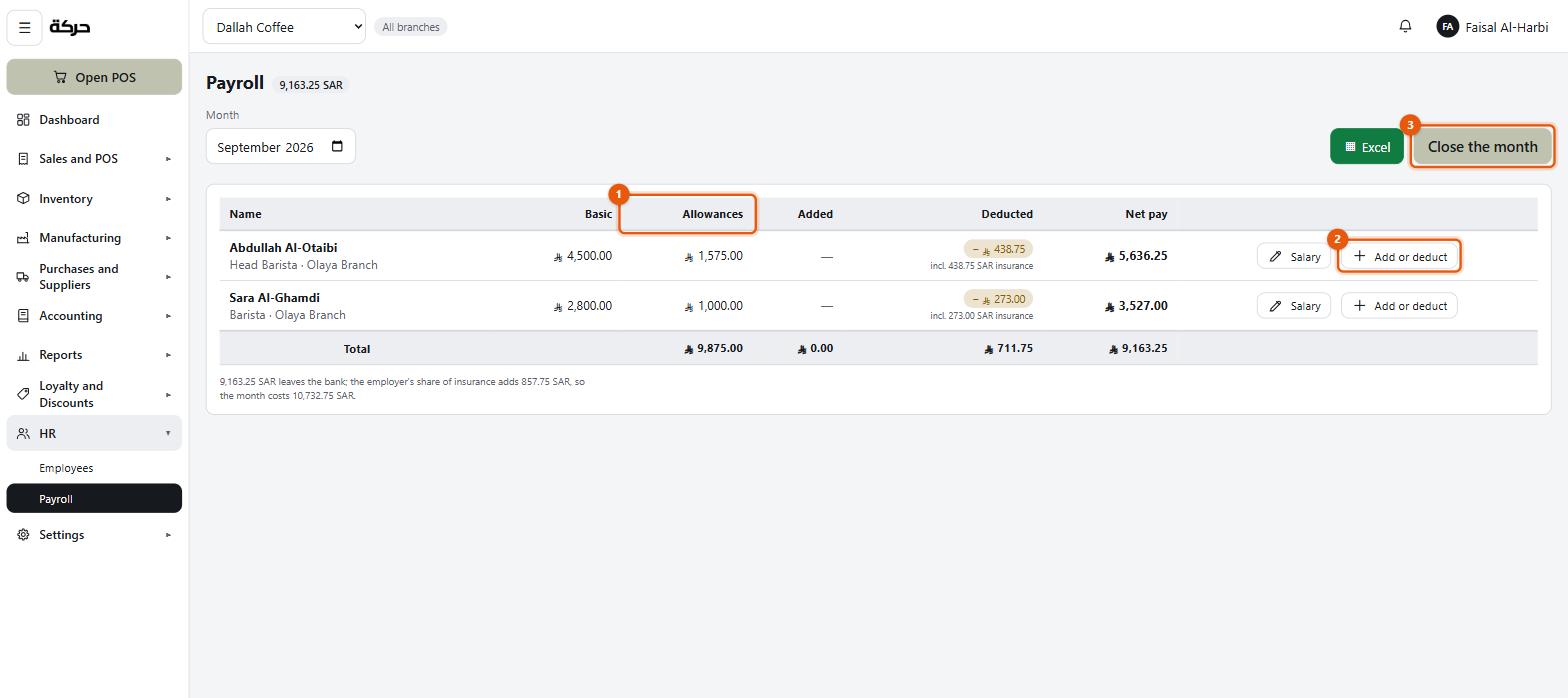
Choose the month. Every current employee appears with their pay structure filled in from their record.
Columns per person:
| Column | What it holds |
|---|---|
| Basic | The base salary |
| Allowances | Housing, transport and other, added together — the four components are entered on the employee but shown as two here |
| Added | This month's additions |
| Deducted | This month's deductions, with the insurance shown underneath — incl. 438.75 SAR insurance |
| Net pay |
Each row carries Salary (to change the structure) and Add or deduct.
Additions and deductions
Press the control on a row to add one. Six kinds:
| Kind | Direction |
|---|---|
| Bonus | Added |
| Overtime | Added |
| Extra allowance | Added |
| Deduction | Taken off |
| Absence | Taken off |
| Advance being repaid | Taken off |
Each carries a note. The screen shows what a change does before you commit it: SAR 400.00 added — net becomes SAR 6,150.00.
An adjustment can be removed while the month is open — Taken off this month.
Worth knowing: Always type the amount as a positive number — the kind decides which way it goes.
Social insurance
Calculated on the basic salary only and shown per employee, along with the employer's share, which is a cost to the business over and above the wage and is never deducted from their pay.
Under the totals is the sentence worth reading twice:
9,163.25 SAR leaves the bank; the employer's share of insurance adds 857.75 SAR, so the month costs 10,732.75 SAR.
Three figures: what staff are paid, what the employer adds on top, and what the month actually costs the business. The third is the one that belongs in your profit and loss, and it is always larger than the payroll.
Closing a month
Closing a payroll month fixes it: Closed. This is what was paid.
If payroll posting is switched on and the month is on or after the start month (section 6), closing is what writes the wage cost into the ledger.
Recording payment
Separately from closing, you record that the money actually went out: Payment recorded. The salaries stay owed until the payment is recorded, and social insurance stays owed until it is paid to GOSI — that is a separate payment and is not cleared here.
Reopening
A closed month can be reopened for editing if something was wrong. As everywhere, the ledger entry is reversed rather than edited.
Careful: Reopening a month that has posted, changing it, and closing it again is a real accounting event. Do it while the period is still open with your accountant, not six months later.
#What to do next
Section 25 covers quotations — offering a price before a sale happens.